 Reknt
RekntInside the app
From opening Reknt
to your next session.
See how setup, exercise cues, and your session record fit together. These are real Reknt screens with example data.
First two workout sessions: no subscription needed. Premium features are marked below.
A quick look inside
See the routine
in 15 seconds.
15-second edited screenshot walkthrough with example data. The foundation map shown is a Premium feature. No audio.
Read the video description
First, the home screen shows the next routine and its listed time. Next, the Premium foundation map previews the next week. Finally, the exercise screen shows an illustration and timer. All screens use example data.
01 / Getting started
A short setup.
A clear place to start.
Reknt starts with a short setup and safety screening. Begin exercise only after your healthcare provider has cleared you, and follow their individual guidance.
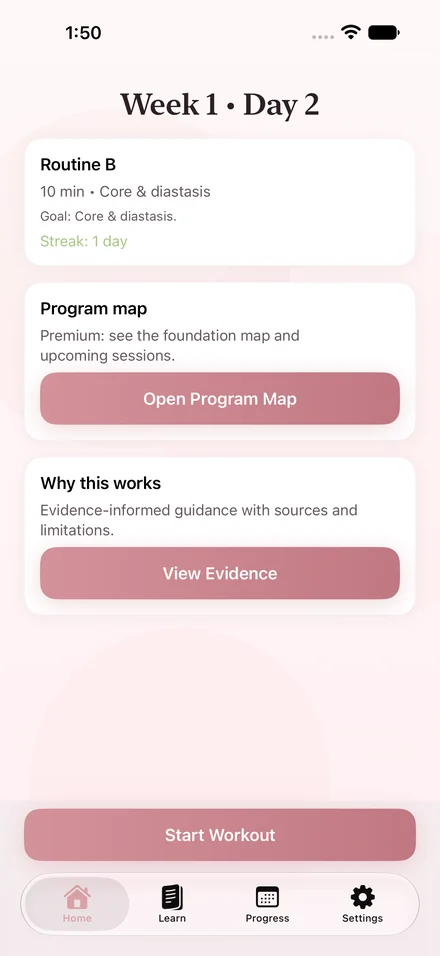
Once setup is complete, the home screen brings your next session into view. You can see the program week, day, and routine without searching through a long workout library.
- Open the app without creating a Reknt account.
- Review the setup and safety information.
- Find your next routine on the home screen.
Safety screening is not medical clearance. The app does not assess whether exercise is suitable for your individual situation.
02 / During a session
Follow the exercise.
Keep the cues close.
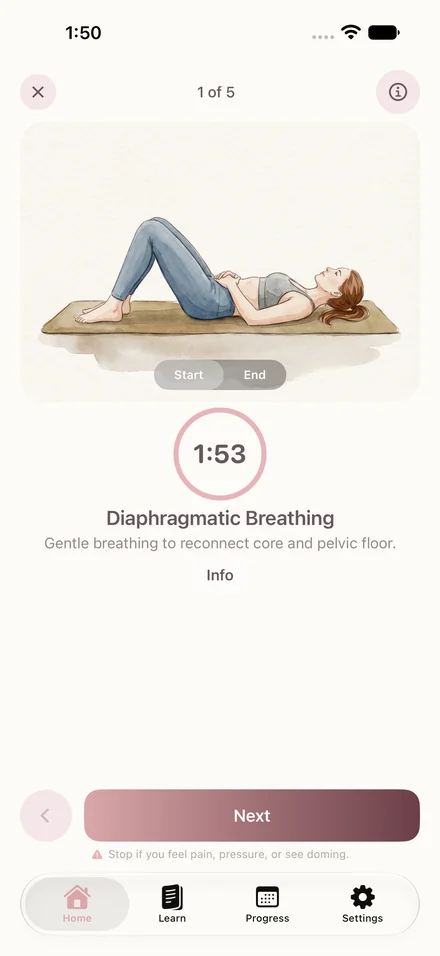
Sessions take around 10–12 minutes. Exercise illustrations and breathing cues help you follow the routine at home.
The session player keeps the exercise and its instructions together. Premium adds optional spoken guidance, so you can also listen to cues as you go.
After a session, use the check-in to record how the routine felt. Follow the app’s pause guidance when symptoms occur and seek individual advice from your healthcare provider.
The first two workout sessions need no subscription. A Premium free trial is a separate offer, available only when offered and eligible.
03 / Optional Premium
See the foundation
ahead of you.
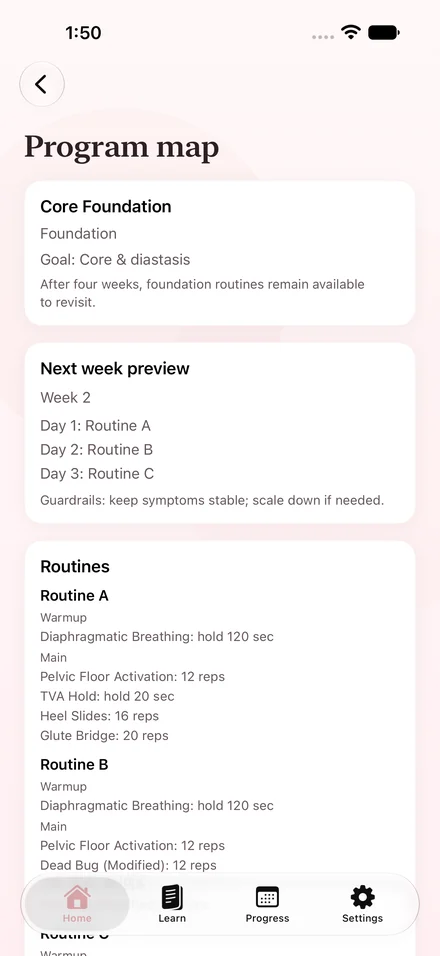
Premium opens the full four-week foundation. The program map shows the routines and upcoming sessions in one place.
The four weeks describe the program structure. They are not a promise of recovery time or a deadline for a body change.
Learning content gives you more context alongside the routine. You can open the Learn area to explore the available topics. Premium unlocks the learning content included in the subscription.
The app provides general wellness information. It does not replace a clinician, diagnosis, or treatment plan.
04 / After your session
Keep a record
of your routine.
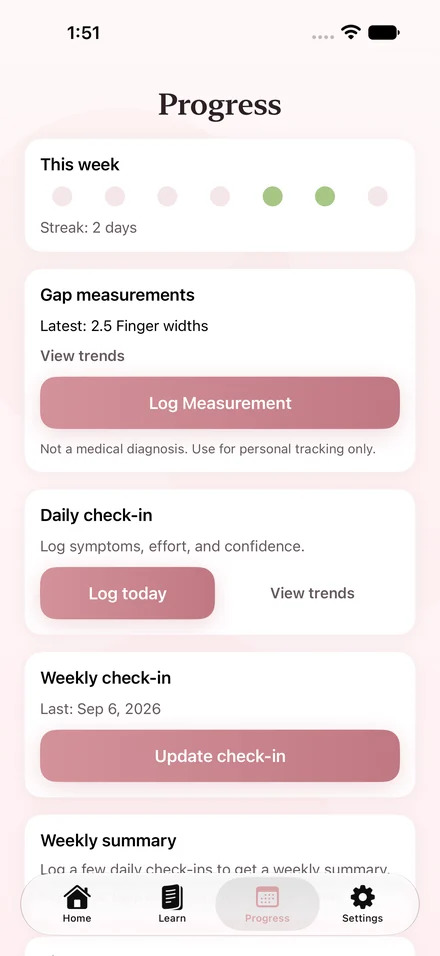
The Progress area brings completed sessions and weekly check-ins together. Use it to look back at your consistency and your own notes about how the routine feels.
Premium includes optional measurements and trends. These are personal records. They do not diagnose diastasis recti or decide whether an exercise is safe for you.
You can manage your app data in Settings. If you prefer a separate record on paper, explore the free weekly routine tracker.
Premium includes the full foundation, voice guidance, learning content, and measurement trends. Monthly and annual subscriptions are available.
A subscription trial is separate from the first two free workout sessions. The purchase screen shows your local price, any eligible trial, and renewal terms before you subscribe.
Subscriptions renew automatically unless canceled through Apple’s subscription settings. View and manage your subscription in Settings → your name → Subscriptions.
Keep exploring